

Multifamily development
Underwrite the build month by month.
CRE Terminal models a multifamily development as one monthly ledger, from the unit mix and budget through the construction loan, lease-up, takeout and sale. The engine calculates every month, your team selects the result, and the same model carries into construction.
From the sponsor's spreadsheet to a selected result.
Start from the spreadsheet you have.
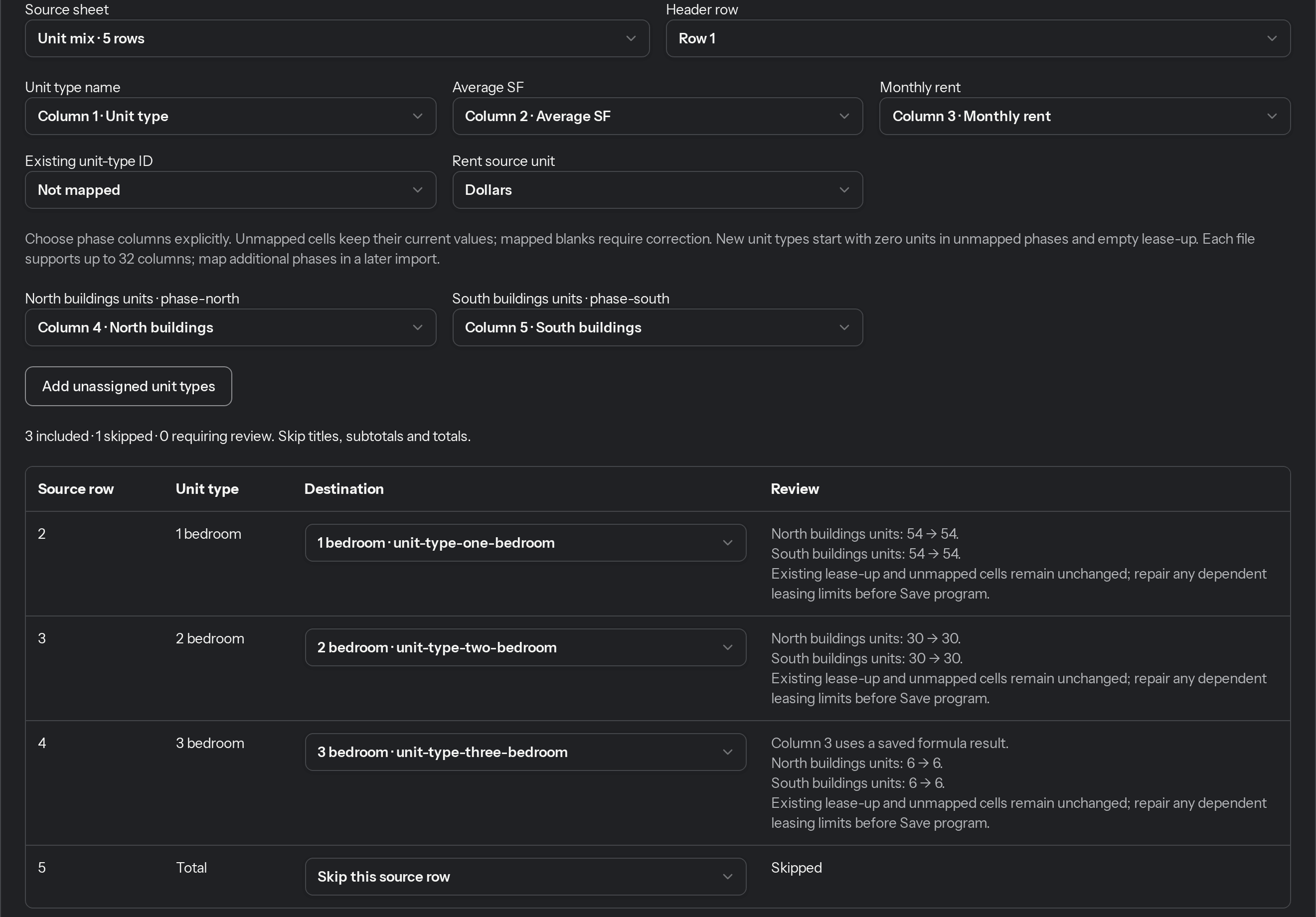
Bring in the unit mix, budget and operating inputs from a CSV or XLSX file, pasted cells, or a workbook already on the deal. Columns map automatically, suspect cells are flagged, and formulas are never run.
DEVELOPMENT BUDGET
Every cost line on its own schedule.
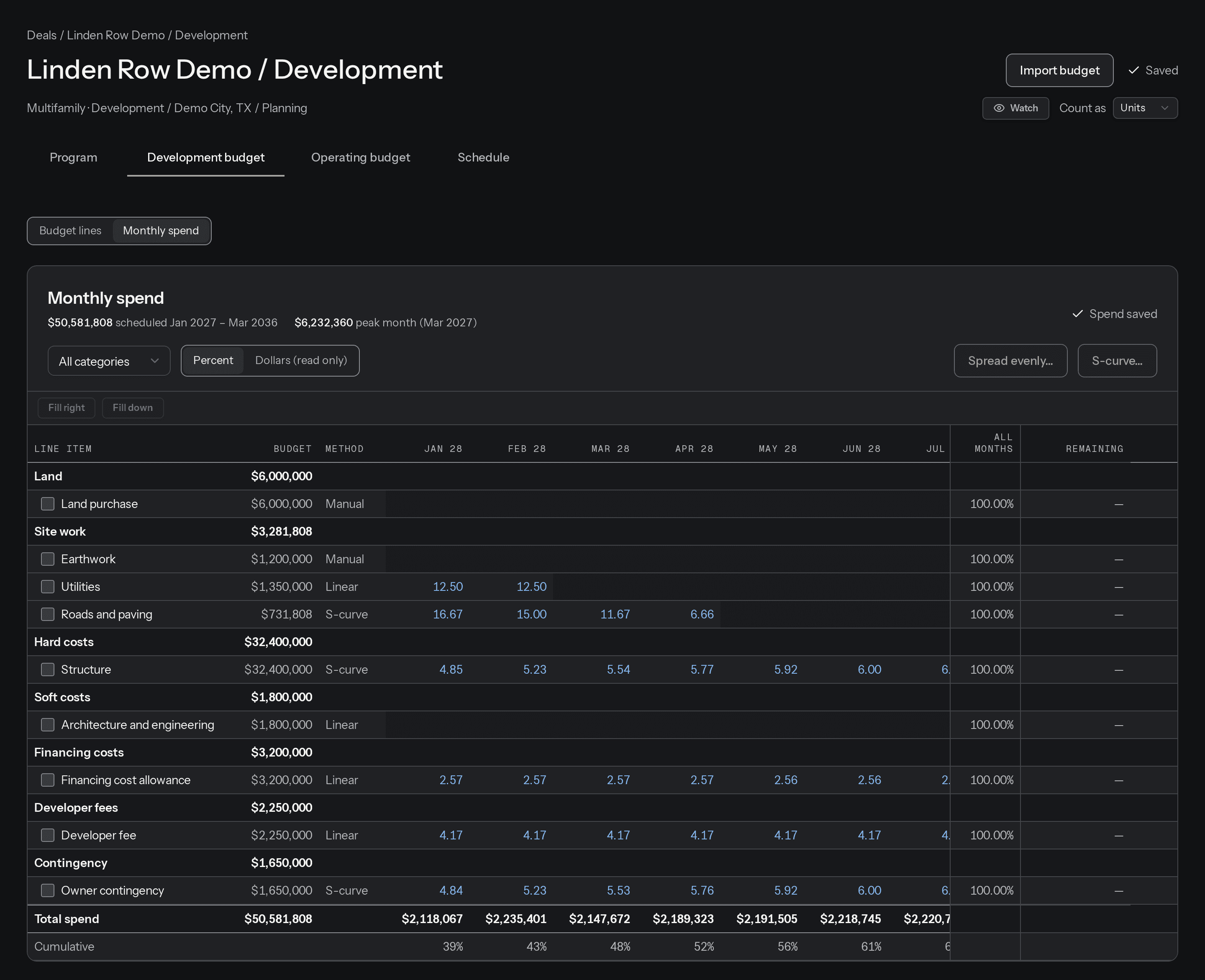
Each budget line has its own basis, months and spend curve (linear, S-curve or your own monthly percentages), plus payment lag, retainage and construction-loan eligibility. Draws and interest follow when cash is actually paid.
FINANCING
Funding gaps shown, never plugged.
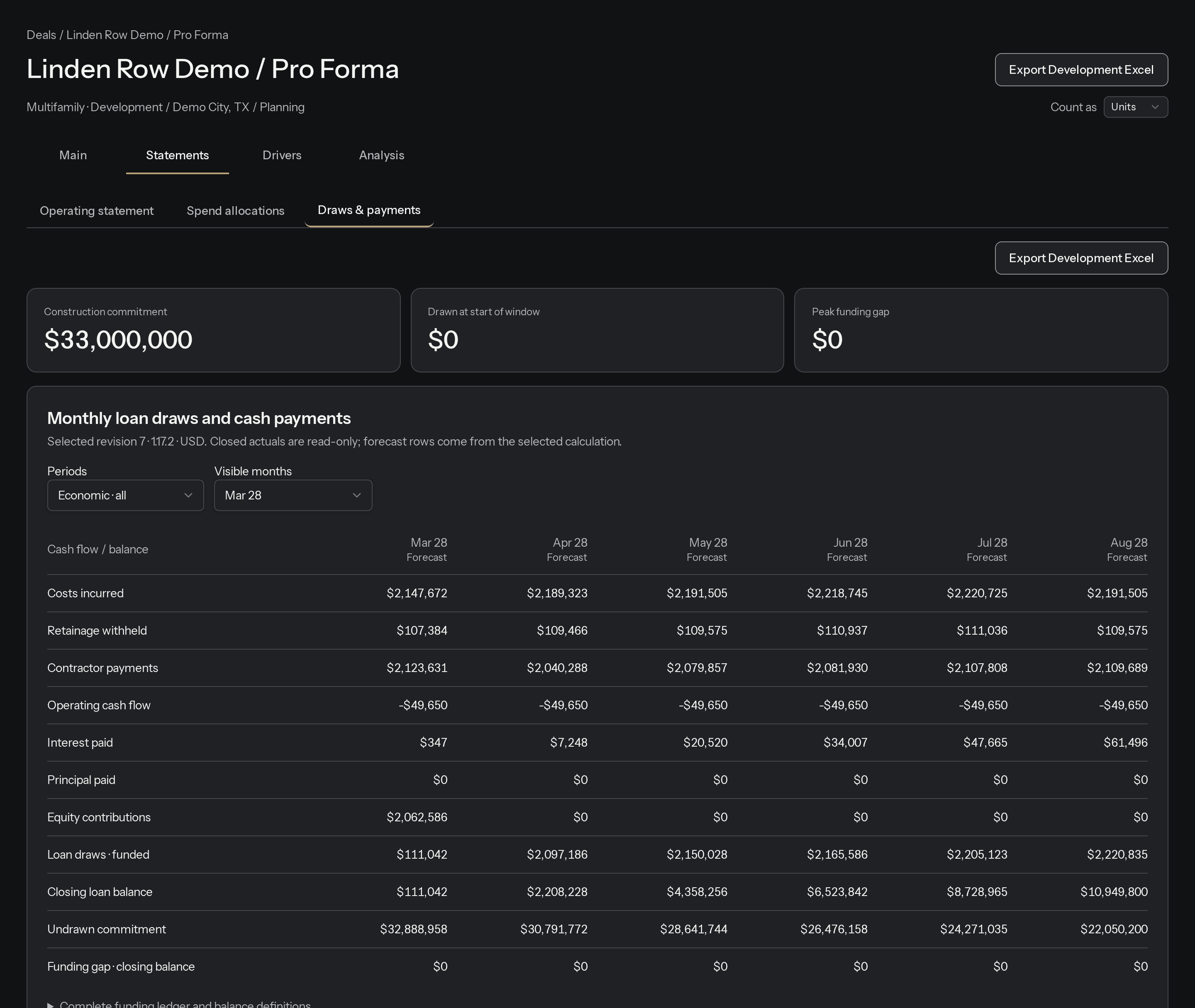
The construction loan draws against eligible costs within its loan-to-cost and loan-to-value limits, and the permanent takeout is tested against LTV and DSCR. Any month the sources fall short is reported as a funding gap, not filled with assumed equity.
RETURNS
Every return traces to a month.
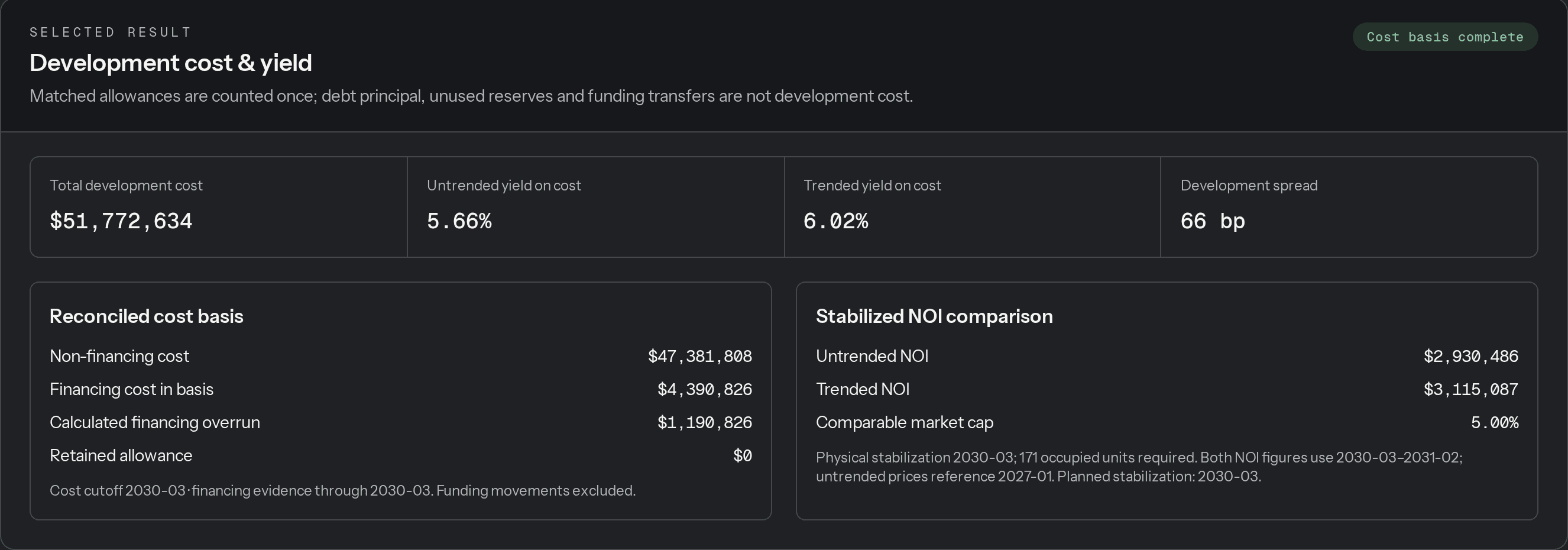
Total development cost, untrended and trended yield on cost, development spread, levered IRR, equity multiple and peak equity all come from the same monthly cash flows. Export the selected result to Excel with the monthly model in editable formulas and reconciliation sheets.

RISK
Test the downside before you commit.
Risk builds a register from the deal's evidence, scoped to ground-up construction or rehab. Rerun the model under downside, upside and combined cases, compare six isolated sensitivities, or run a Monte Carlo of IRR and funding gaps.
Risk analysis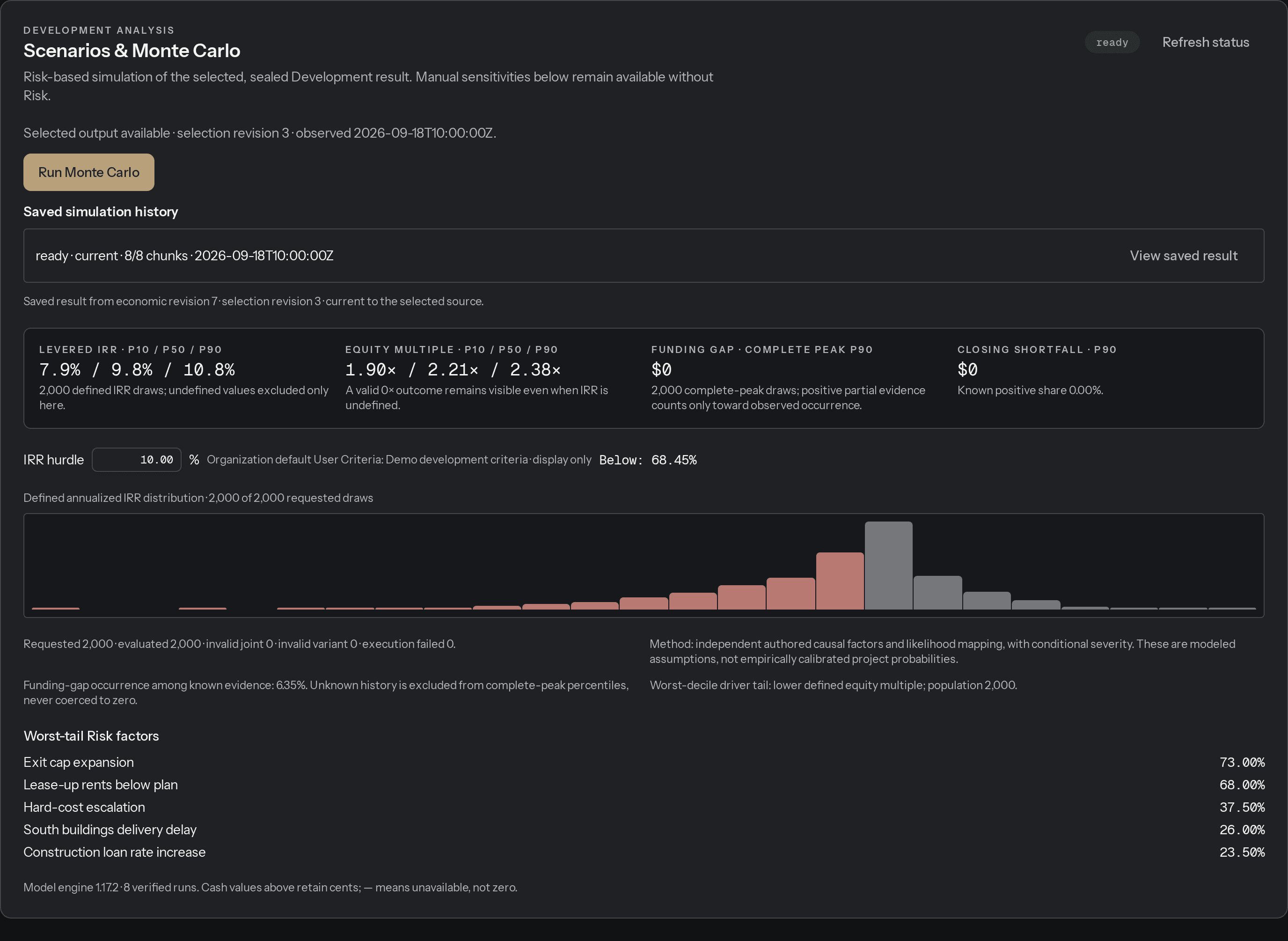
AI ASSISTANCE AND MCP
AI proposes. Your team approves.
Optional assistance checks your saved assumptions and proposes values such as rents, cost rates and the exit cap, with a reason for each and within the limits you set for each input. An assistant connected through MCP can read the model, edit a section and run a calculation, and every change waits for approval in CRE Terminal.
Chat & MCP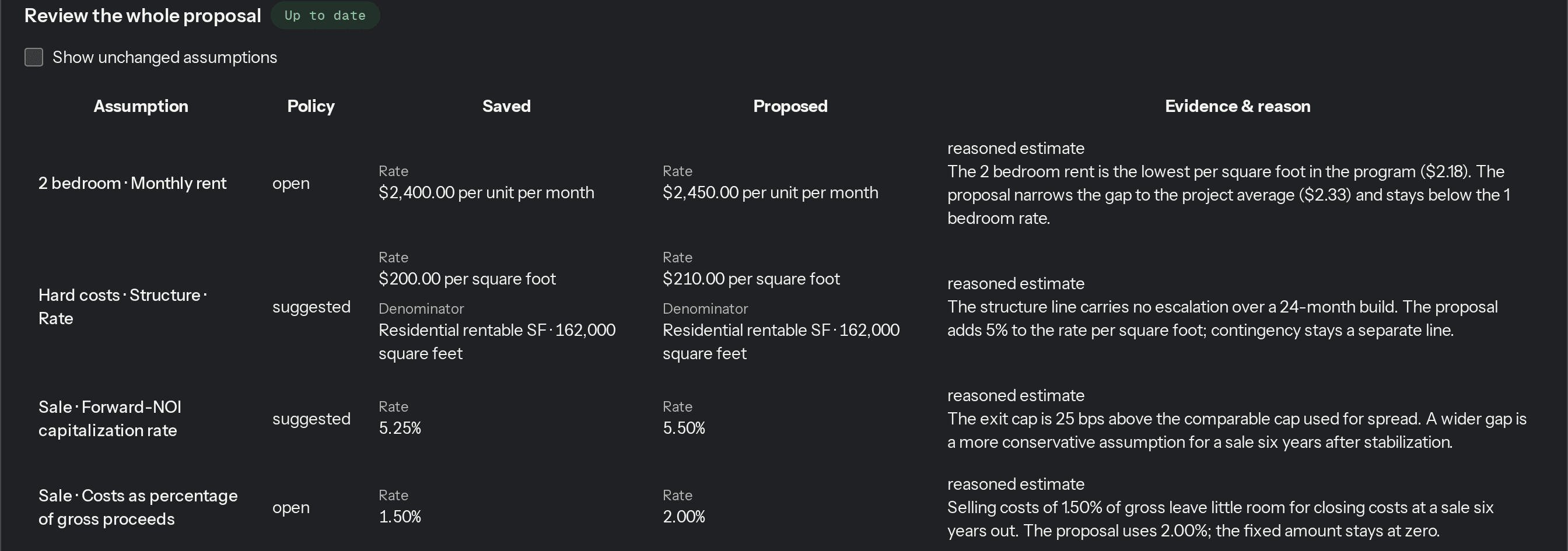
Bring a project you're pricing now and see it month by month.
Request accessProduct screenshots and the animation use synthetic demo projects. Figures and proposal text illustrate the workflow.